Qred Bank Money Transfer
Following the termination of Qred Pay, small business customers faced limited options for using their available Qred VISA credit to pay B2B invoices. ATM withdrawals offered a workaround but were costly, cumbersome, and subject to strict limits.
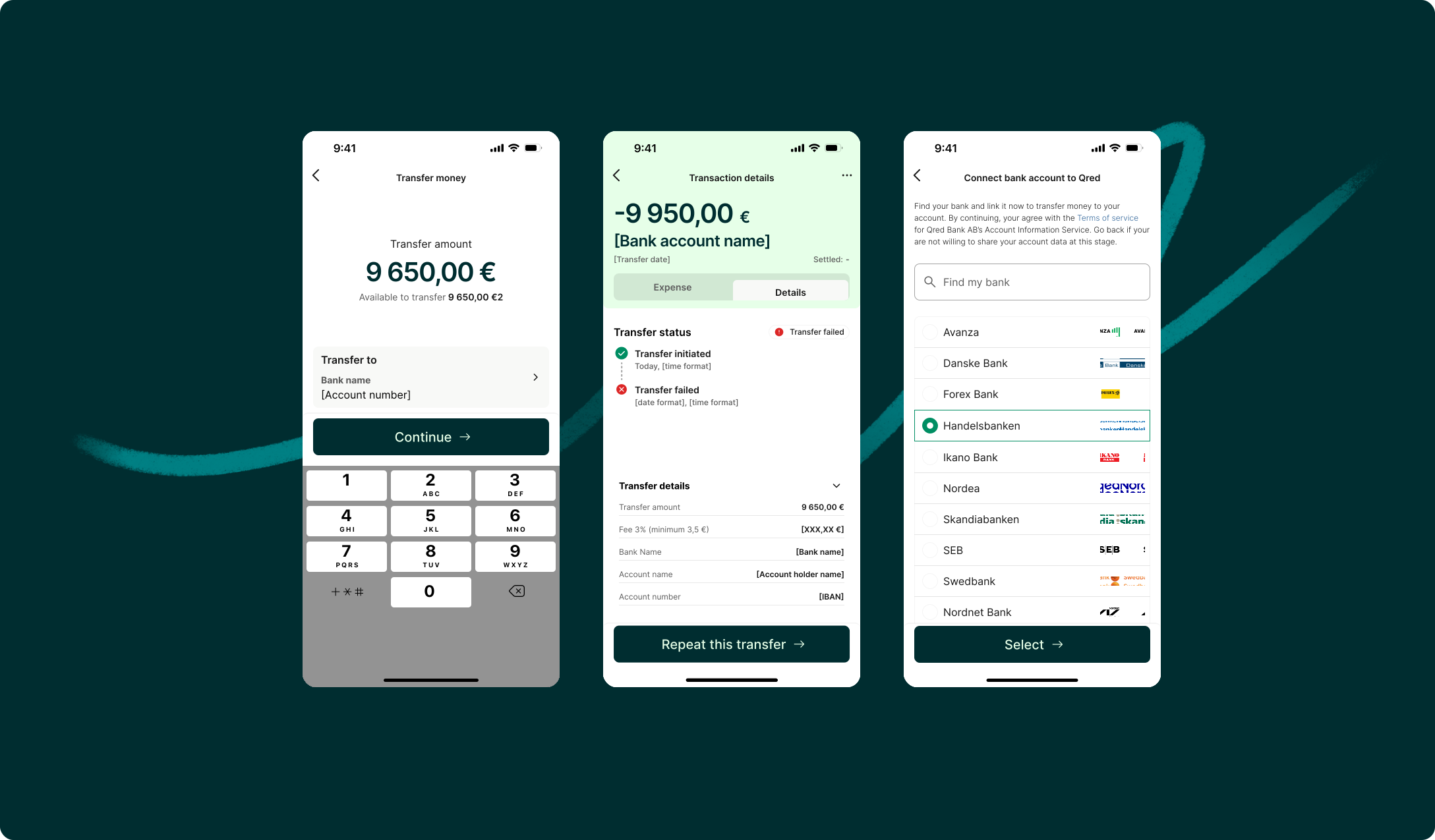
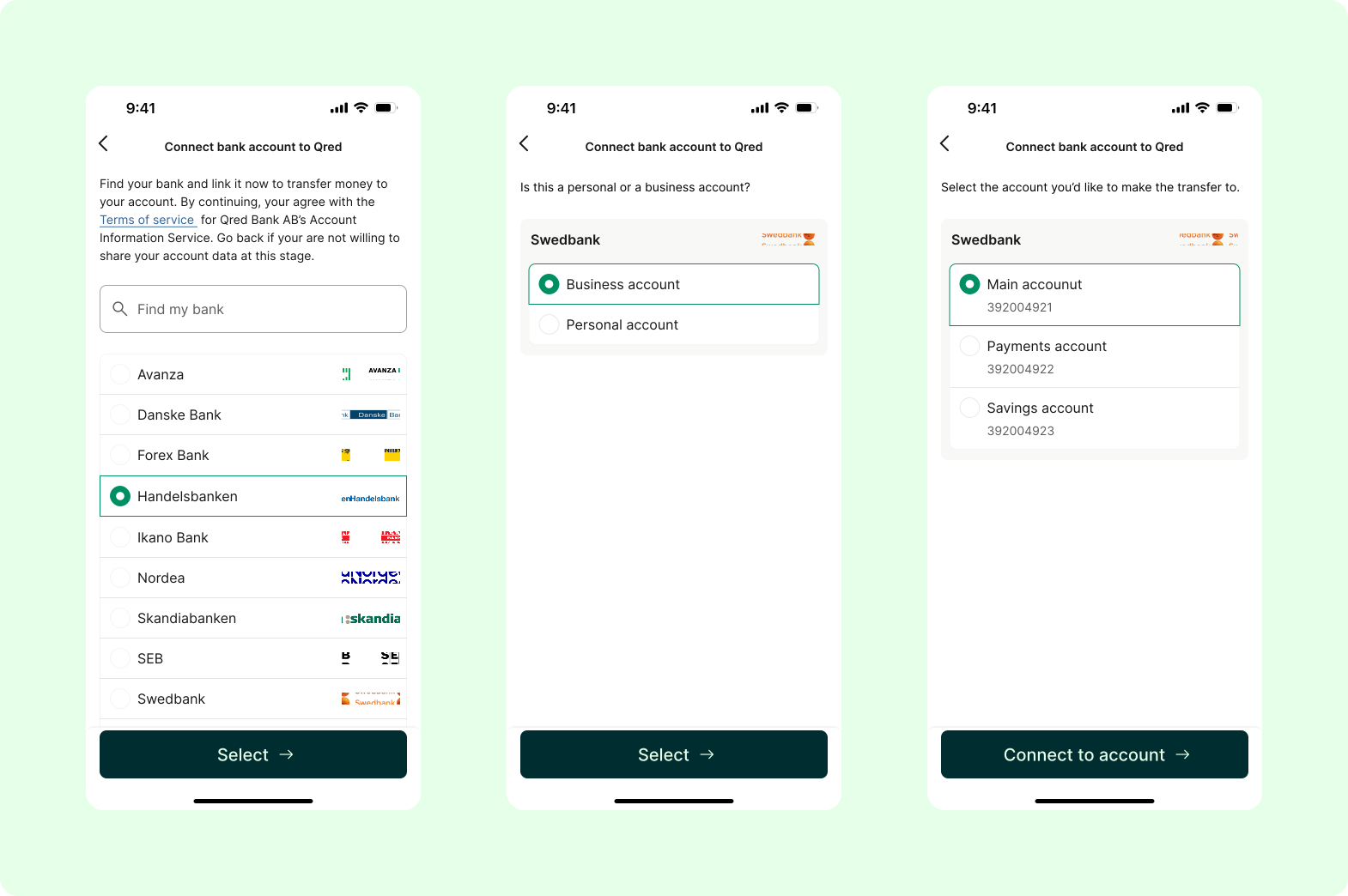
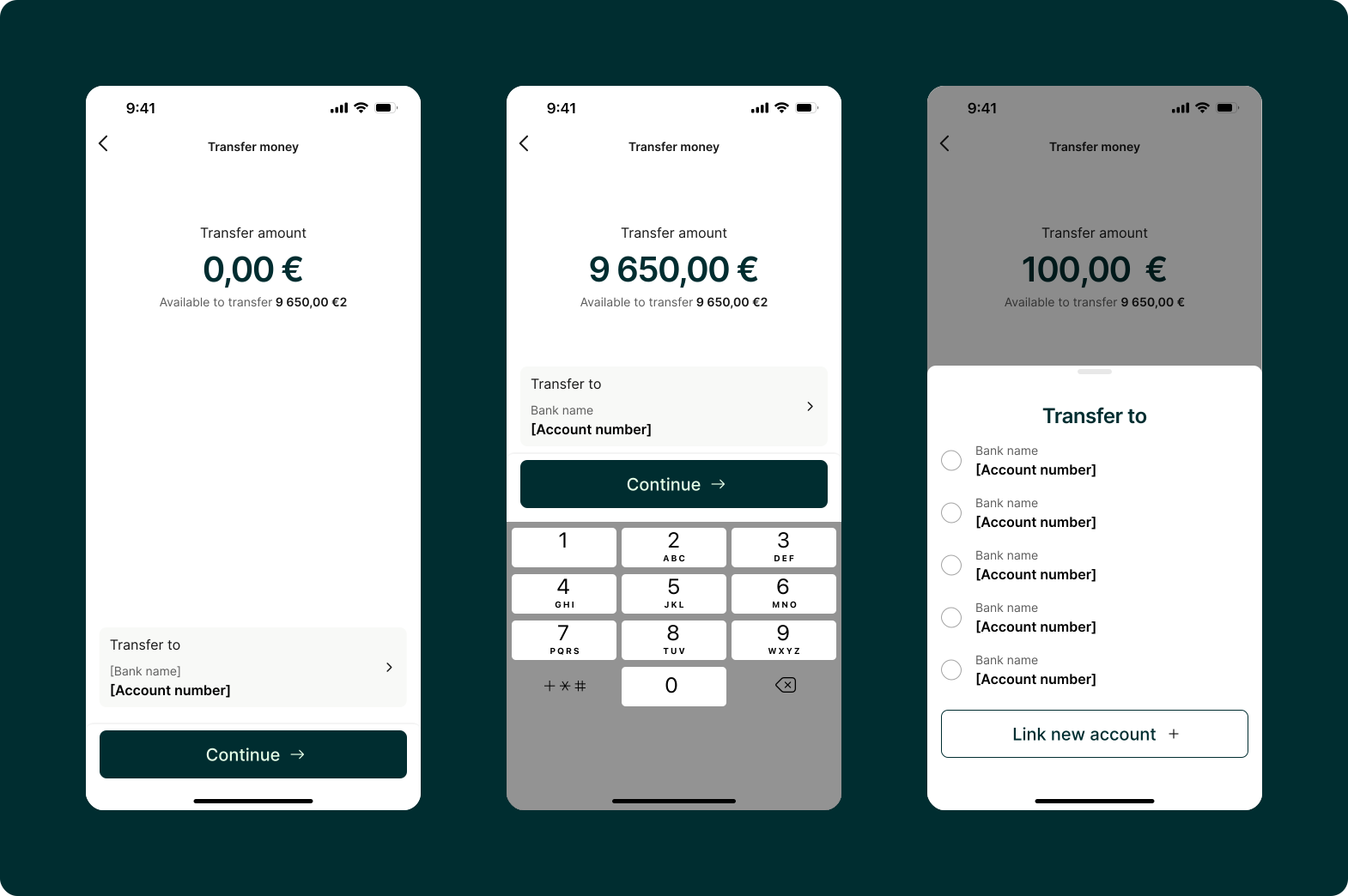
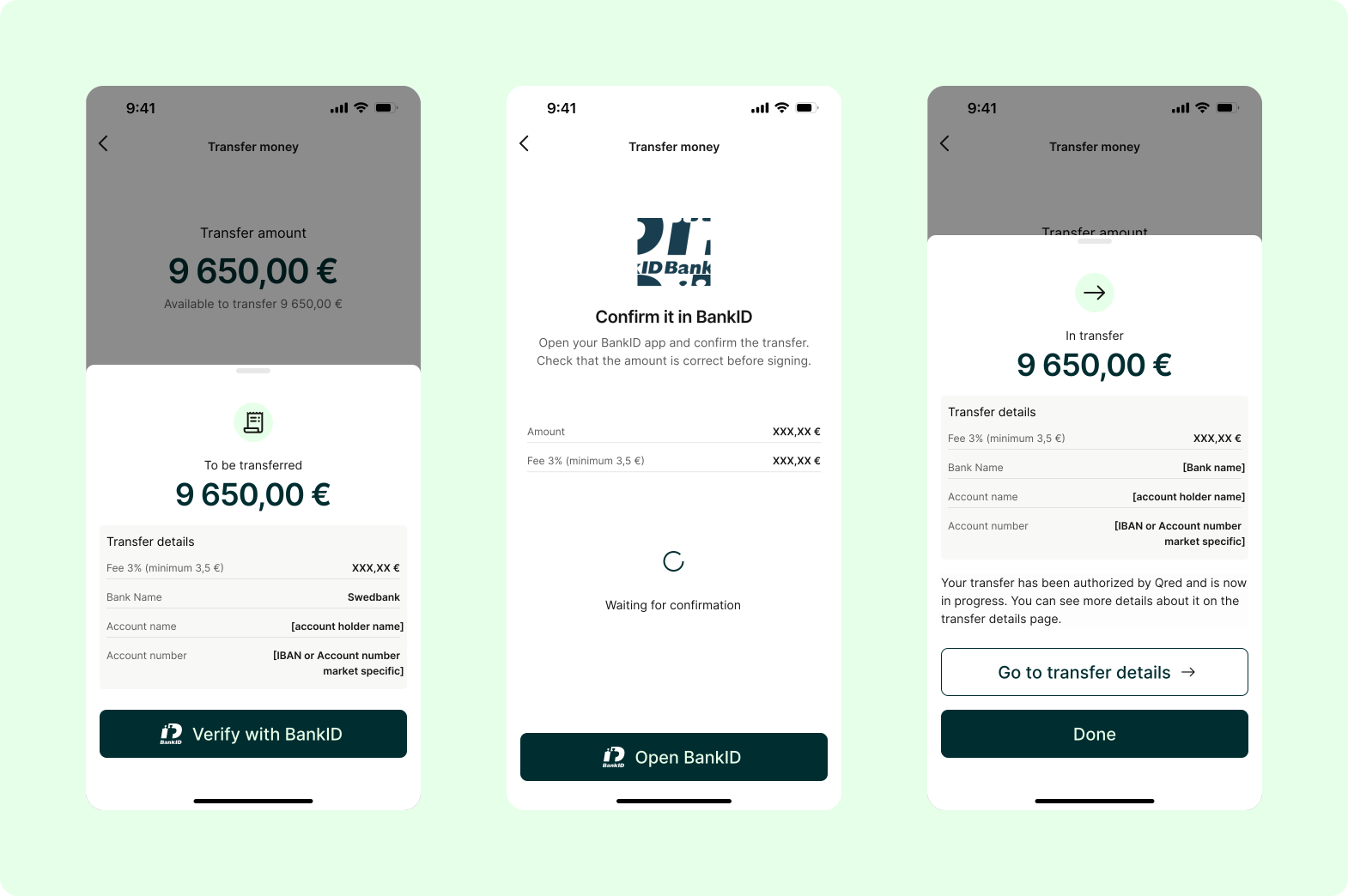
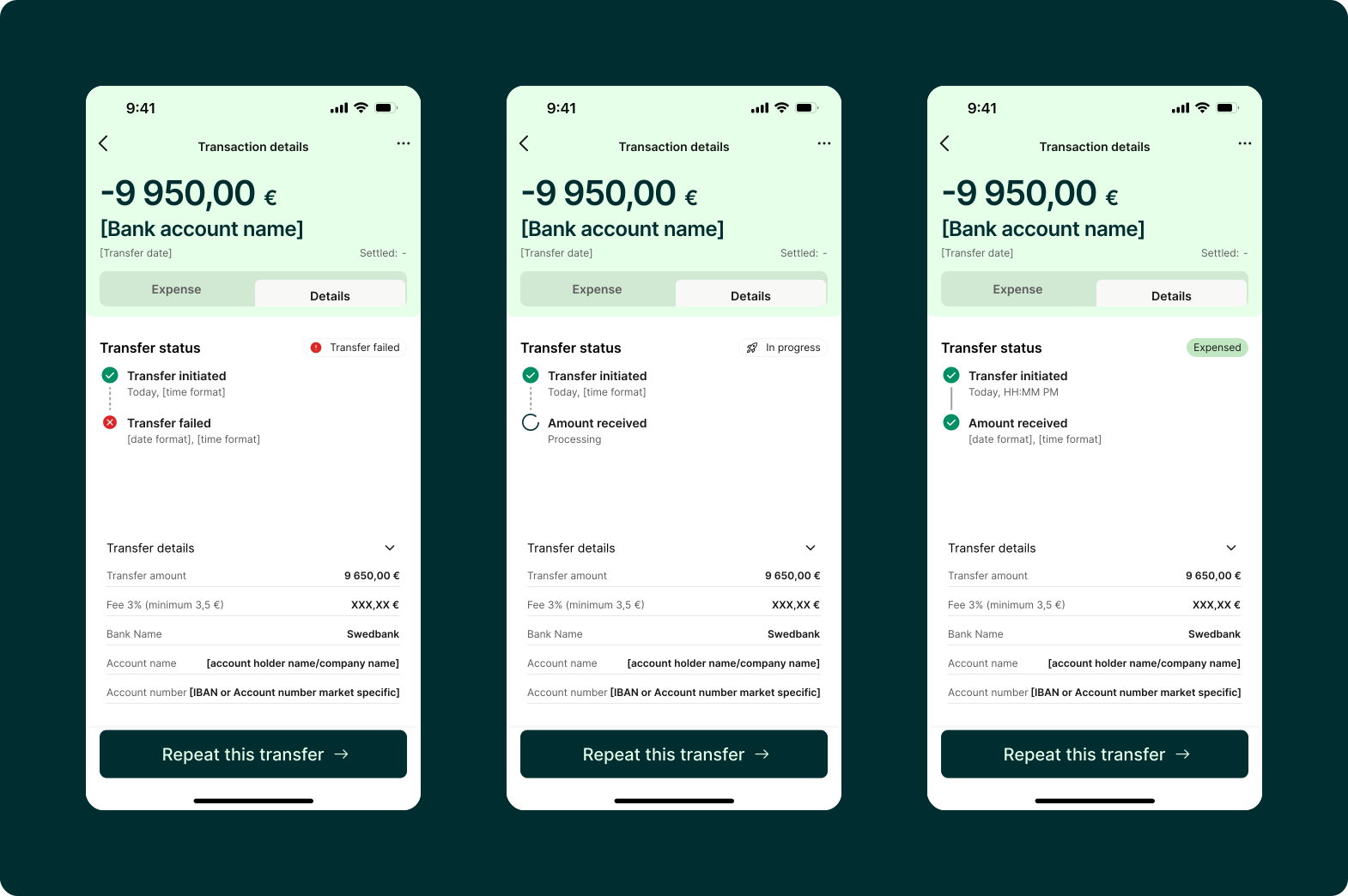
To address this unmet need, we introduced Card-to-Account Transfer, enabling customers to transfer available credit directly to their verified business bank accounts via Trustly, using Enable Banking for secure bank connectivity. Secured with BankID and Strong Customer Authentication (SCA), the feature provides a more flexible and seamless way to access credit and manage business payments through familiar banking interfaces.
TEAM: 1 product designer • 1 product manager • 4 developers • 2026
Contribution:
- I contributed to both the UX and UI aspects of the Card-to-Account Transfer project, taking ownership of the research, wireframes exploration, usability testing, and UI.
- I started by researching competitor solutions, including Revolut and other major players, and collaborating with stakeholders to map out the user journey. My focus was to create a simple, distraction-free transfer experience, which I translated into flowcharts and wireframes to validate the approach before moving into UI design.
- Another key challenge was designing a solution that could work consistently across four different markets. This required balancing a unified user experience with varying market requirements and technical considerations.
Solution validation:
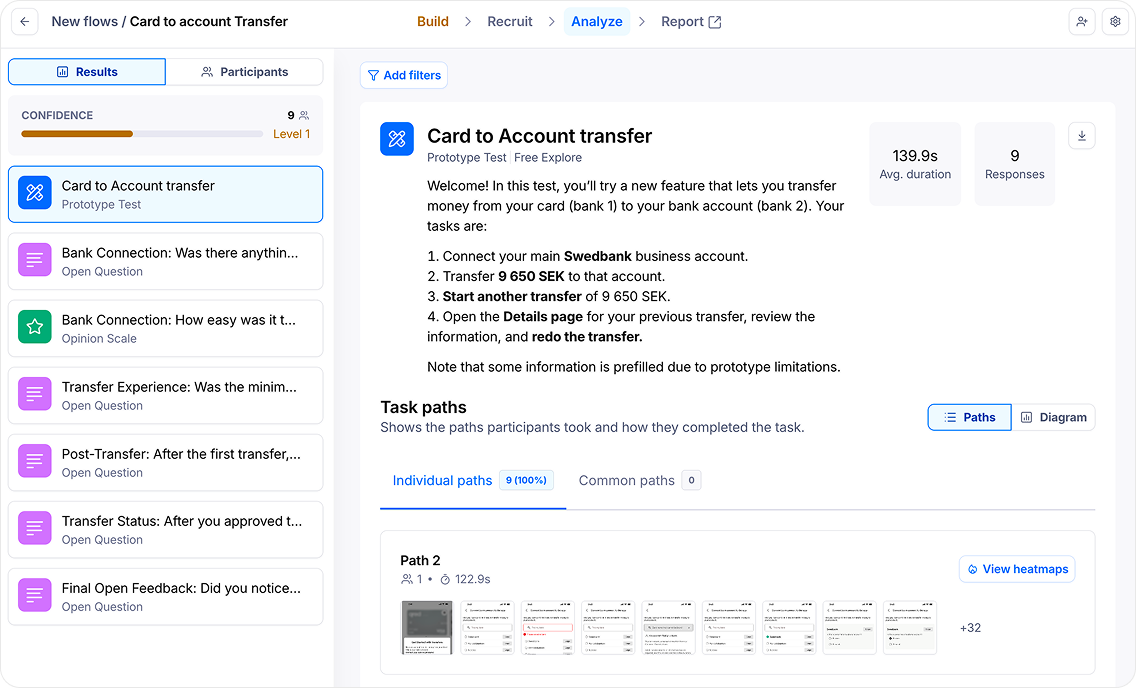
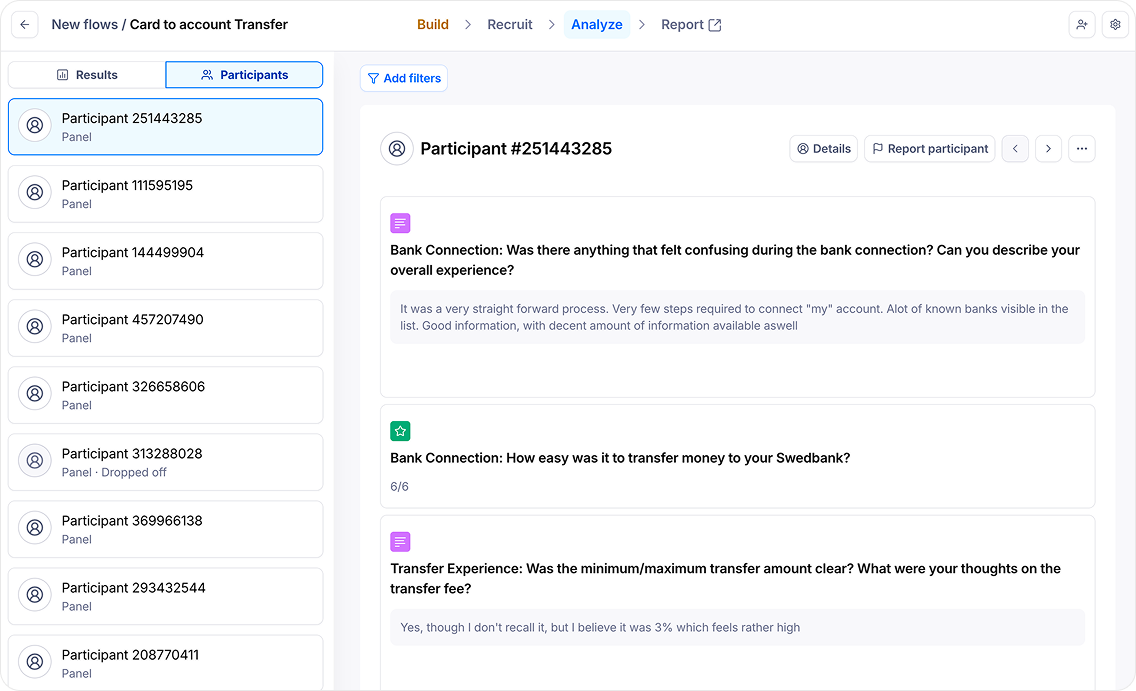
To validate the solution, I set up and conducted a usability test on a Figma prototype using Maze, alongside internal testing. I analysed the results and heatmaps to identify potential friction points and understand how users interacted with the flow. The feedback was positive, requiring only minor adjustments before moving into UI design.
Challenges:
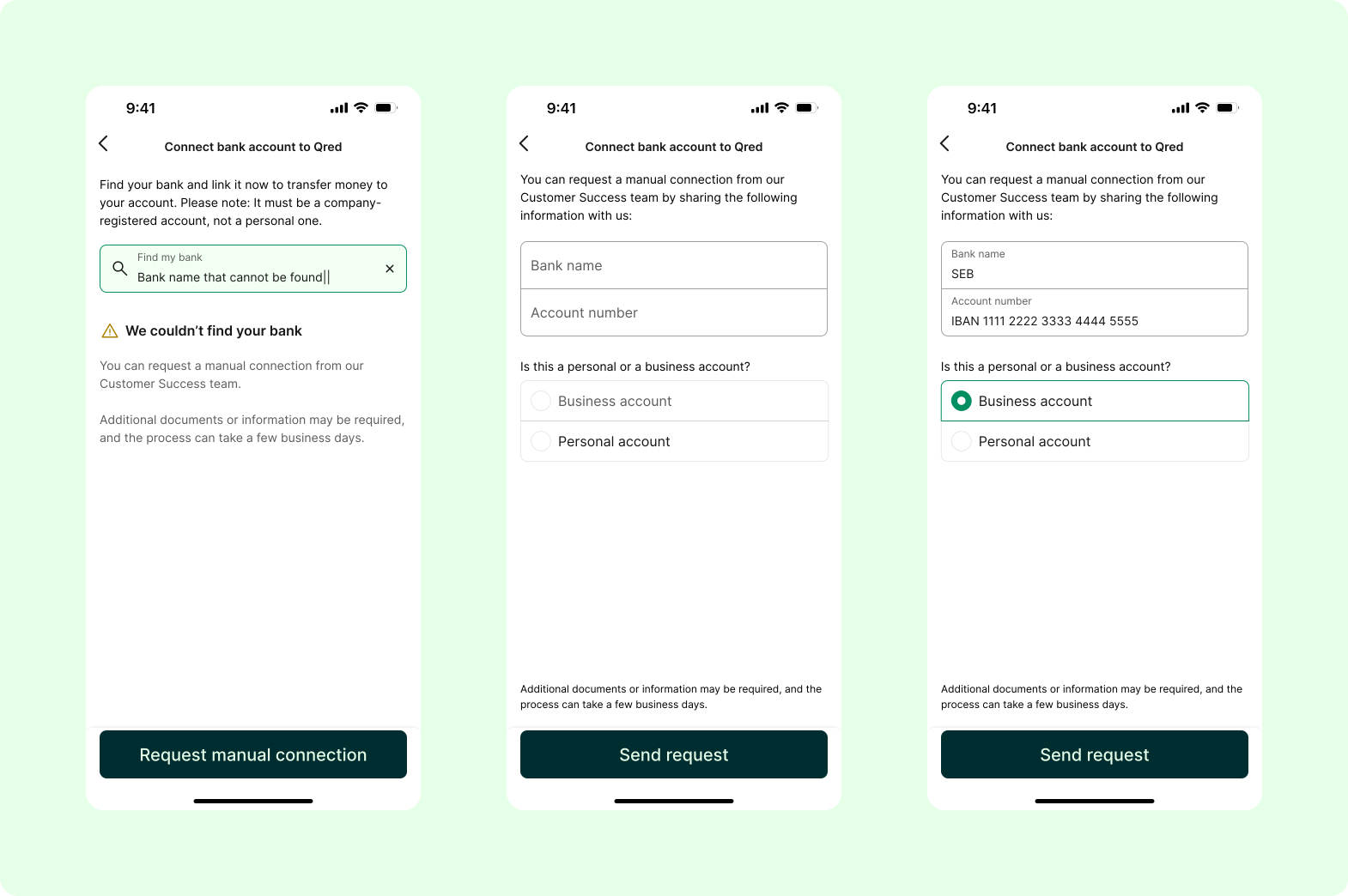
- One of the main challenges was accommodating users whose banks were not available through the existing open Enable Banking database. To address this, I designed an alternative flow that allowed users to submit a manual connection request, ensuring they still had a clear path forward to connect their bank accounts supported by our CS teams.
- During implementation, the backend approach evolved, which meant making ad hoc design adjustments along the way. Through close collaboration with developers and stakeholders, we were able to adapt quickly while maintaining a simple and cohesive experience.
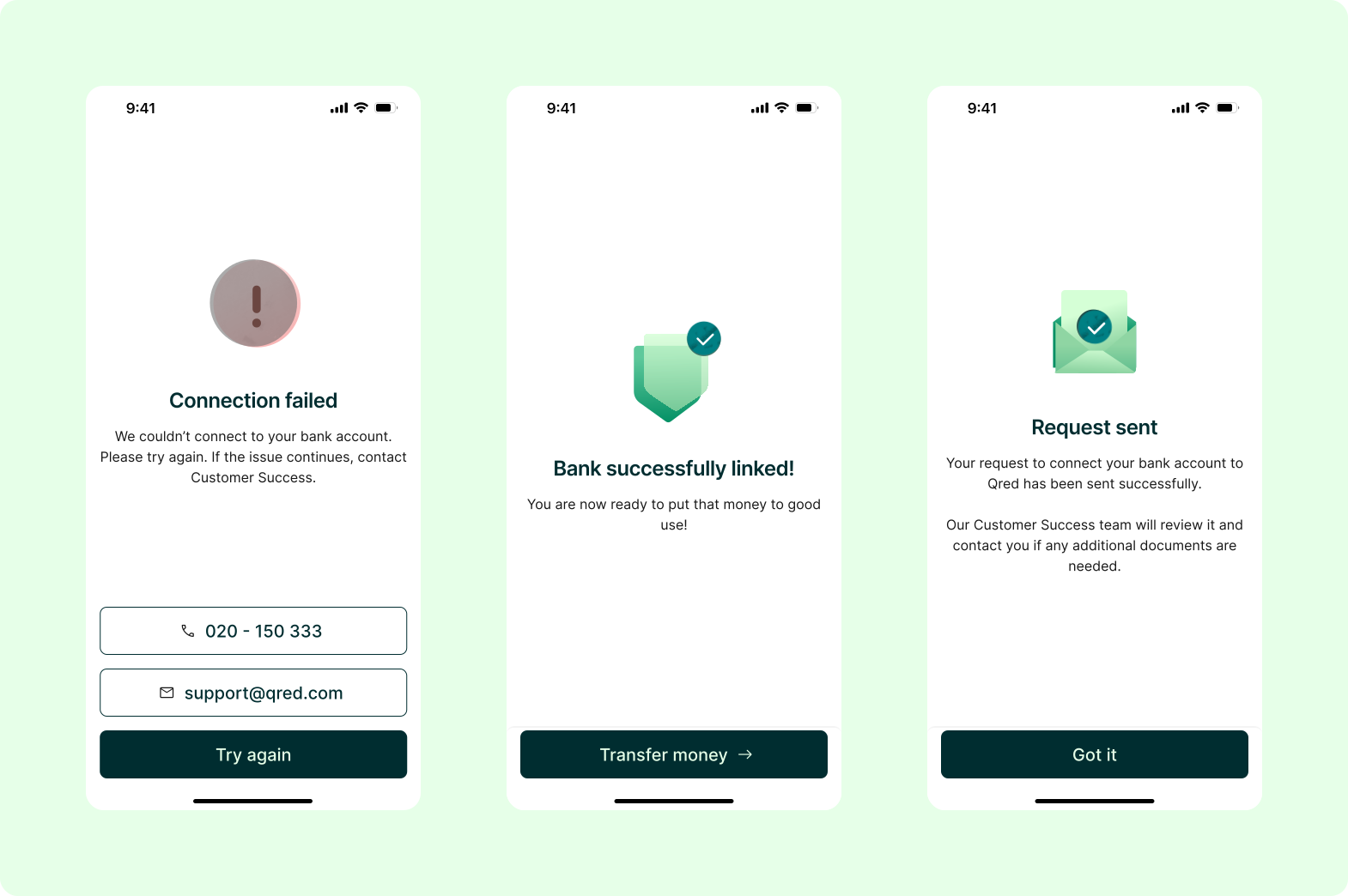
Following its release, the feature has seen increased usage and generated additional revenue through transfer fees. This demonstrated the value of addressing a clear customer need with a user-centred design approach that delivers both a better customer experience and tangible business impact.
Next step: Go live in more markets and investigate how this would wok on our web platform too.